Nano Banana 2 vs Grok for Concept Art

We build AI-generated travel itineraries at tabiji and produce concept art for our Instagram channels and lofi music streams. In our vintage travel photography benchmark, Google's Nano Banana 2 (Gemini 3.1 Flash Image) crushed MiniMax and CogView-4. When xAI launched image and video generation in Grok, we wanted to know if NB2's lead holds up in a completely different aesthetic: lofi anime concept art.
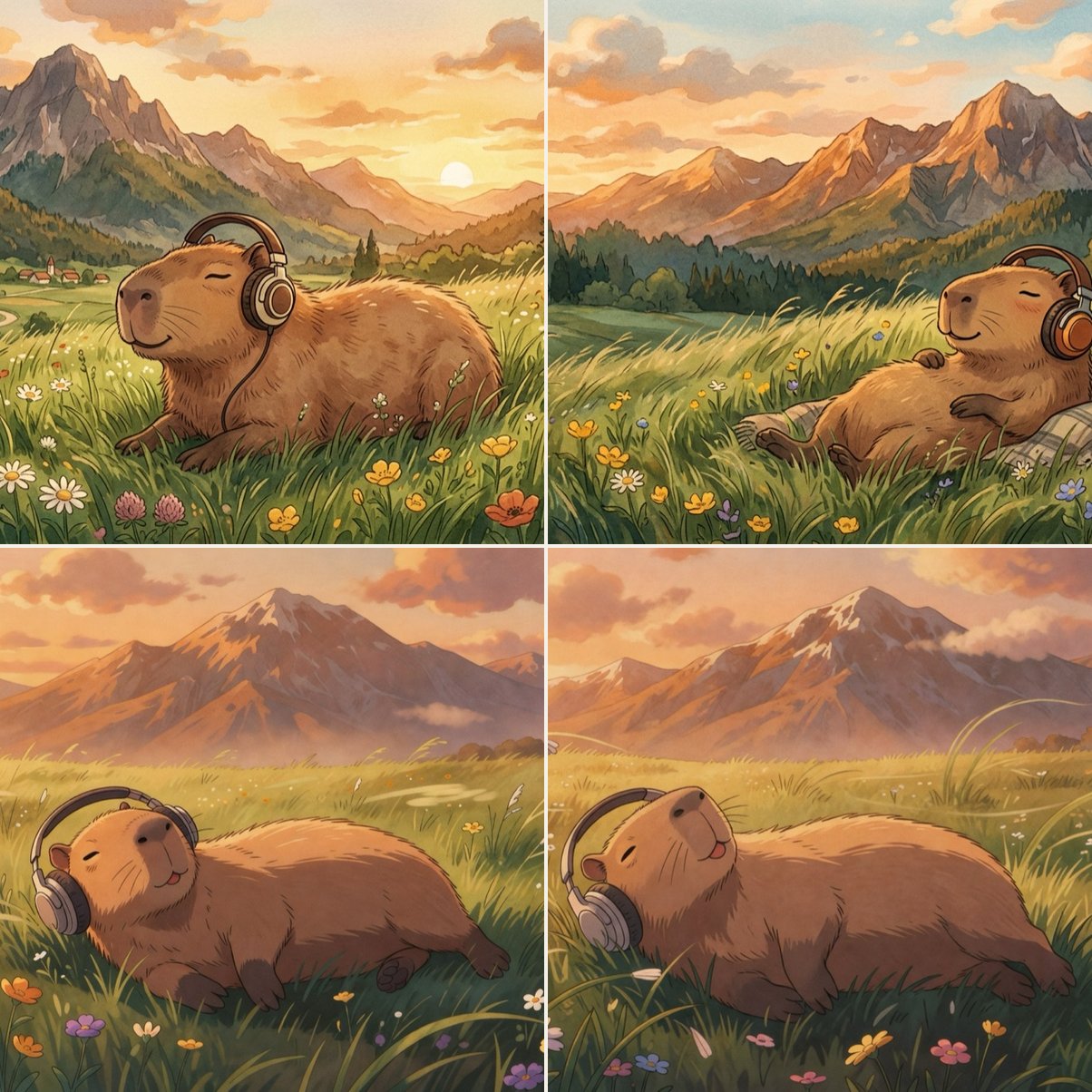
We ran both models head-to-head across two lofi capybara prompts, generating two images per prompt from each model — eight unretouched outputs total.
Across 8 identical lofi anime prompts, Nano Banana 2 (Gemini 3.1 Flash) beat xAI's Grok 9.0/10 to 7.7/10 while costing 3.5x less than Grok Pro ($0.02 vs. $0.07 per image).
- Artistry vs. stock polish — NB2 rendered painterly gouache and watercolor textures with distinct compositions on every run; Grok produced clean but near-identical digital anime clones.
- Prompt adherence — When prompted for "eyes closed, at peace," NB2 nailed the expression in both outdoor renders while Grok generated open-eyed, tongue-out cartoon faces twice.
- When to use Grok — Grok's edge is feature breadth: reference-image editing, style transfer, and $0.05/sec 720p video generation (
grok-imagine-video), which NB2 doesn't support natively.
Why We Ran This Test
In our previous benchmark, Nano Banana 2 scored 8.8/10 on 1970s film photography against MiniMax (5.9/10) and CogView-4 (3.6/10). Photorealism is one thing; stylized illustration is another. Lofi anime is a brutal test for image models because technical sharpness isn't enough — the piece lives or dies on hand-painted texture, color warmth, and subtle body language.
xAI's Grok image API entered the market with aggressive pricing and built-in image-to-image editing, style transfer, and video generation. If Grok could match NB2's illustration quality, its editing endpoints would earn it a permanent slot in our production pipeline.
The Two Models
| Feature | Nano Banana 2 | Grok (xAI) |
|---|---|---|
| Provider | Google (Gemini) | xAI |
| Model ID | gemini-3.1-flash-image-preview | grok-imagine-image / grok-imagine-image-pro |
| Architecture | Multimodal LLM (text + image output) | Dedicated image model (OpenAI-compatible API) |
| Max Resolution | Up to 4K | 1024×1024 (standard) |
| Cost per Image | ~$0.02 | ~$0.02 (standard) / ~$0.07 (pro) |
| Image Editing | No | Yes (feed reference image + prompt) |
| Style Transfer | No | Yes |
| Video Generation | No (separate Veo 3 model) | Yes (grok-imagine-video, 1–15s) |
| API Style | Gemini SDK (generate_content) | OpenAI-compatible REST |
| Latency | ~8–15 seconds | ~10–20 seconds |
On spec sheet features alone, Grok looks compelling: native image editing, style transfer, and video generation in one API, whereas NB2 is strictly a text-to-image generator. Once you inspect the actual renders, however, raw generation quality outweighs the extra endpoints.
Test 1: Indoor Capybara — The Lofi Studio Test
The prompt concept: A capybara as a classic lofi study-girl character — sketching or painting in a cozy indoor studio with headphones on, warm lamplight, houseplants, and stacked books. We generated two images per model from the exact same prompt:
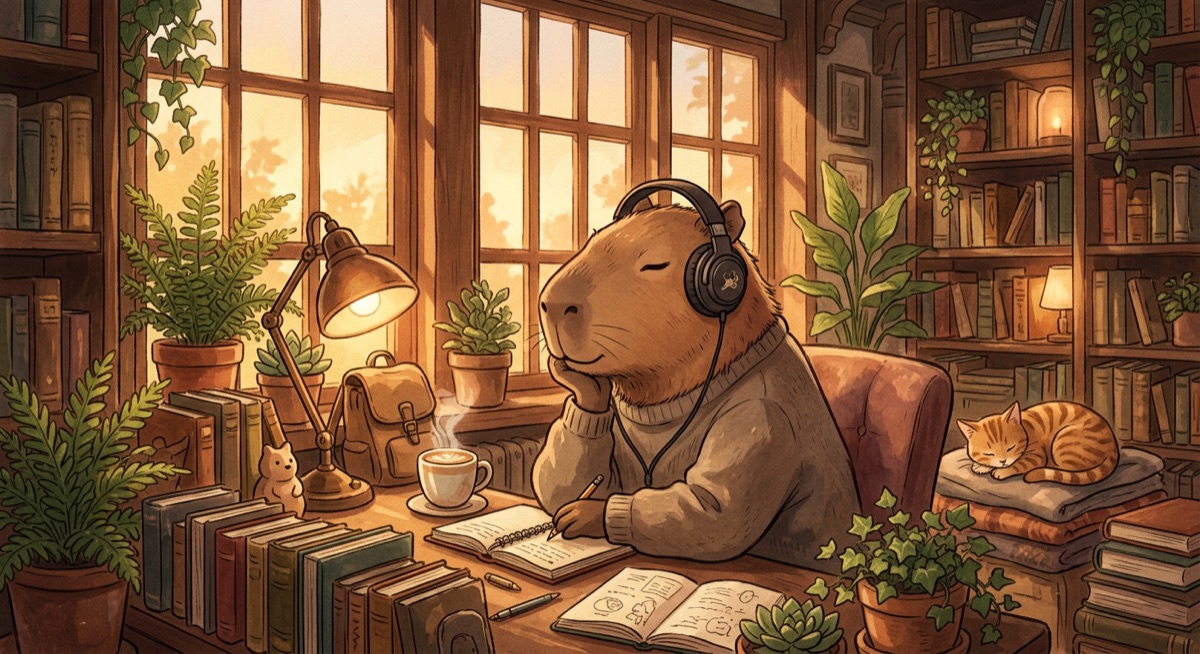
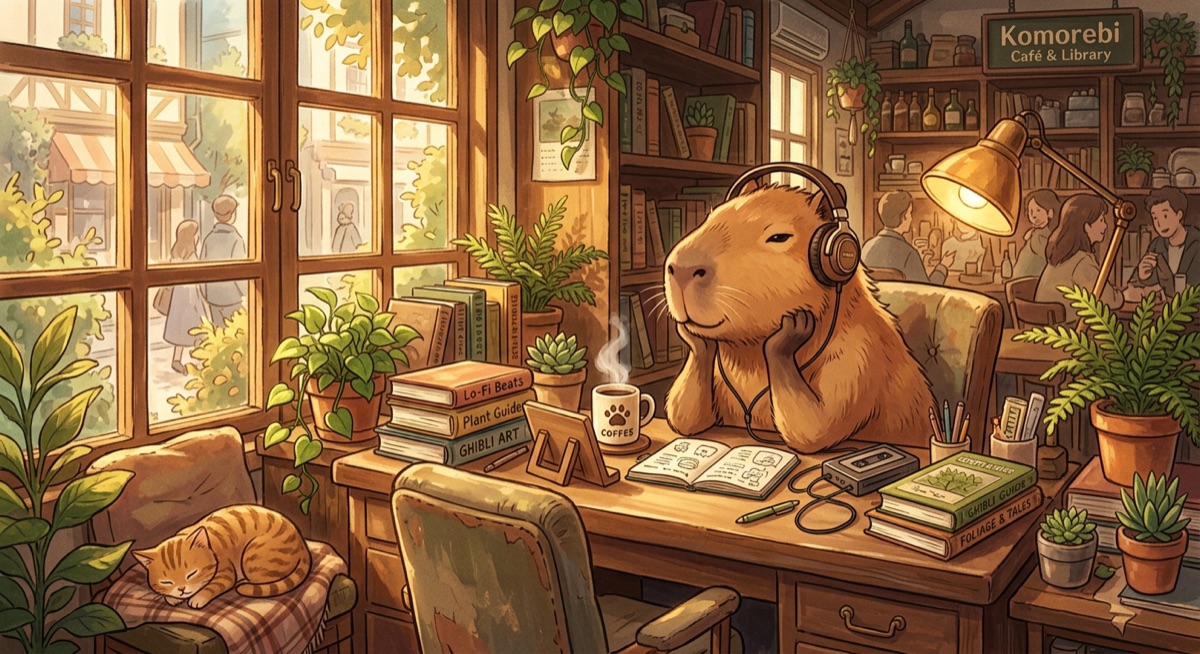
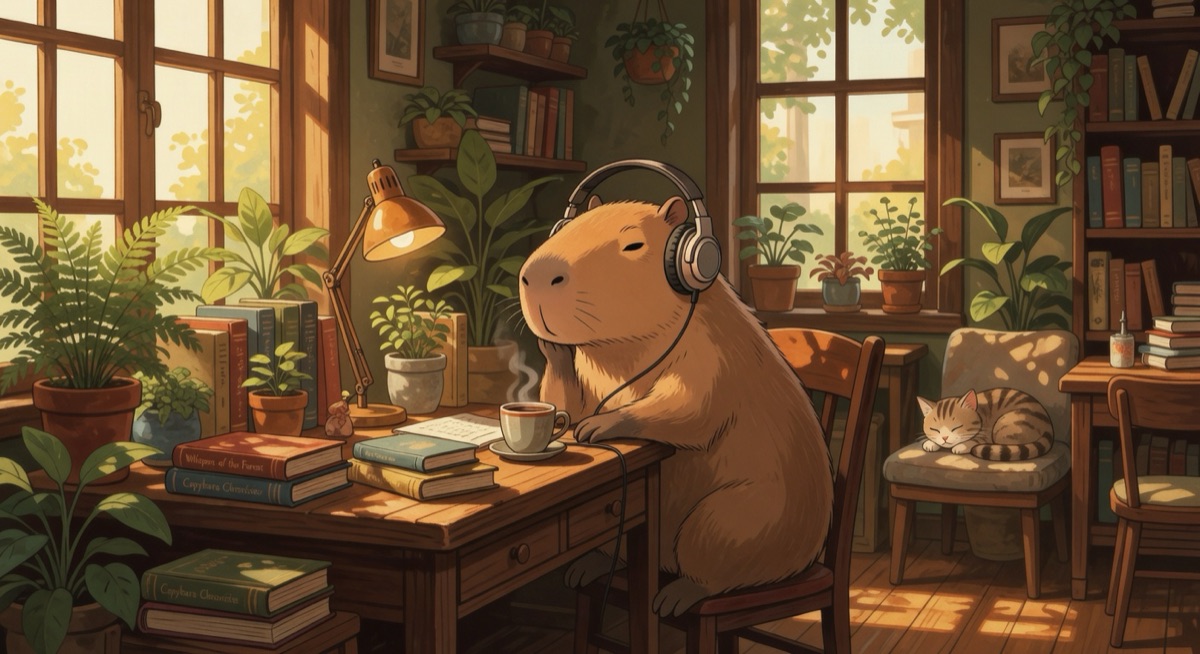
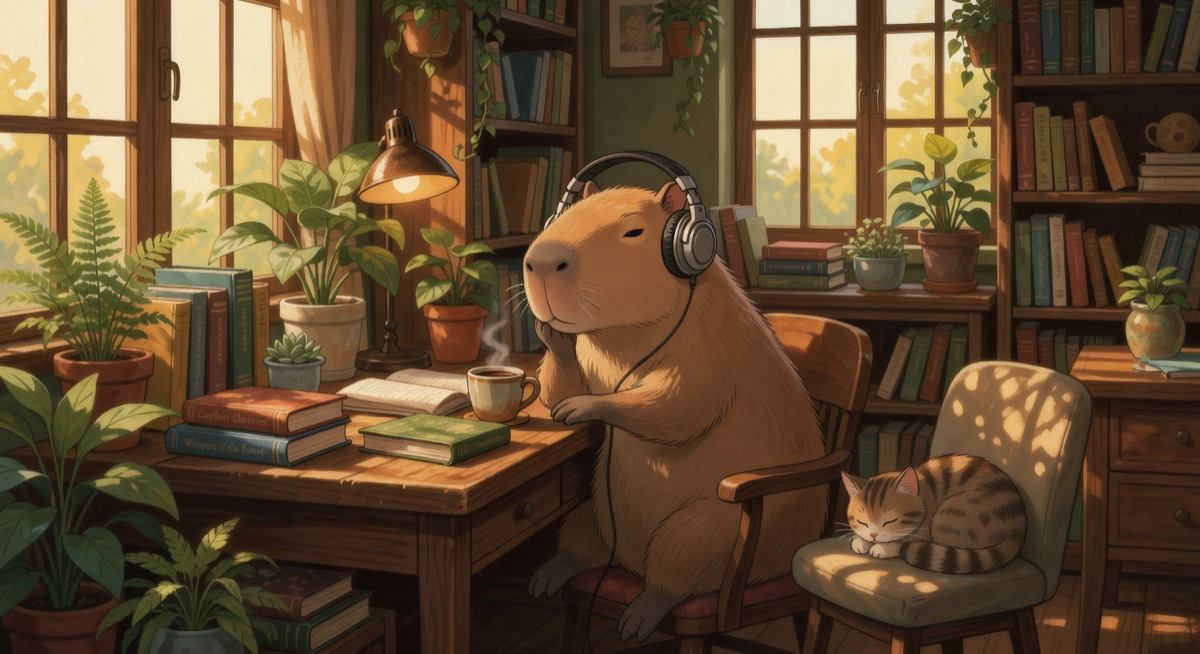
Nano Banana 2 #1 — 9.4/10
This render won the entire benchmark. Wearing a chunky knit sweater with eyes gently closed, the capybara is writing in a journal rather than painting — a smart interpretive choice that grounds the character. The surface has a tactile, hand-painted gouache grain, with warm lamplight catching the plant leaves and stacked books. It doesn't read as AI output; it looks like a commissioned illustration for a 50-million-view lofi beats stream.
Nano Banana 2 #2 — 8.4/10
The second seed pivoted to a wider café-studio composition with multi-source lighting, a detailed tabletop, and deeper architectural framing. While slightly busier than ideal for a minimalist lofi thumbnail, it proves NB2's compositional range: two runs of the same prompt yielded two distinct illustrations.
Grok #1 — 8.0/10
Clean, safe, and generic. Grok delivered a smooth digital-anime capybara with solid lighting and zero anatomical flaws, but zero tactile personality. There is no brushwork texture or interpretive flair — it looks like a stock vector illustration.
Grok #2 — 7.8/10
Worse than the flat texture is the lack of seed diversity: Grok's second render is a near-clone of its first. Same camera angle, same pose, same lighting rig, with only minor prop shuffling in the background.
This pattern — NB2 producing genuine artistic variety while Grok produces polished clones — repeated in every test we ran.
Test 2: Outdoor Capybara — The Landscape Test
The prompt concept: A capybara lounging in a grassy mountain meadow with headphones on — specifically requesting eyes closed and a peaceful, blissful expression.
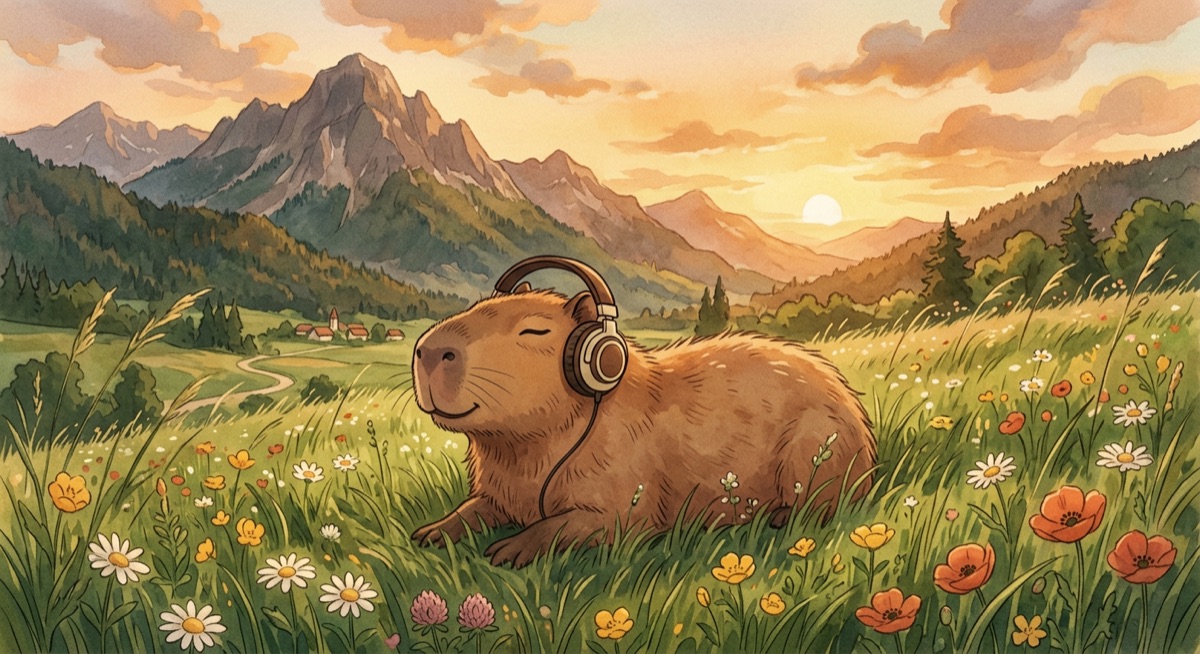
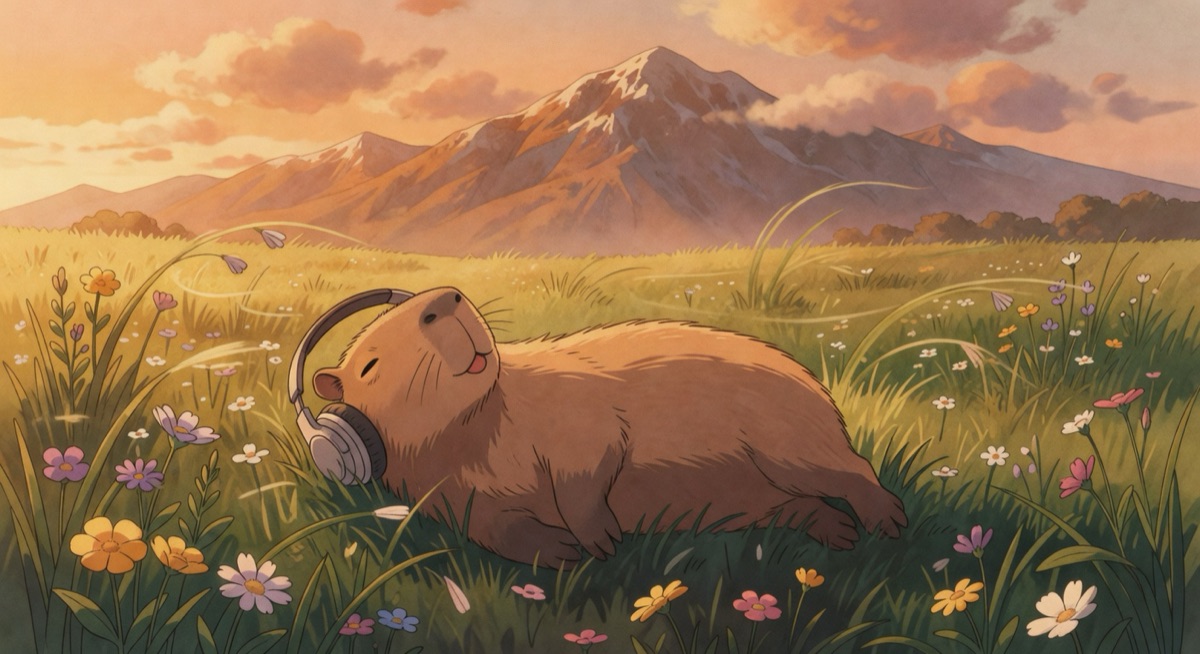
Nano Banana 2 #1 — 9/10
Textbook watercolor landscape. The capybara's eyes are shut tight, framed by foreground poppies, a winding dirt path leading to a distant village, and mountains fading into soft atmospheric haze. Ready to ship as a "3 hours of chill beats" YouTube background on the first try.
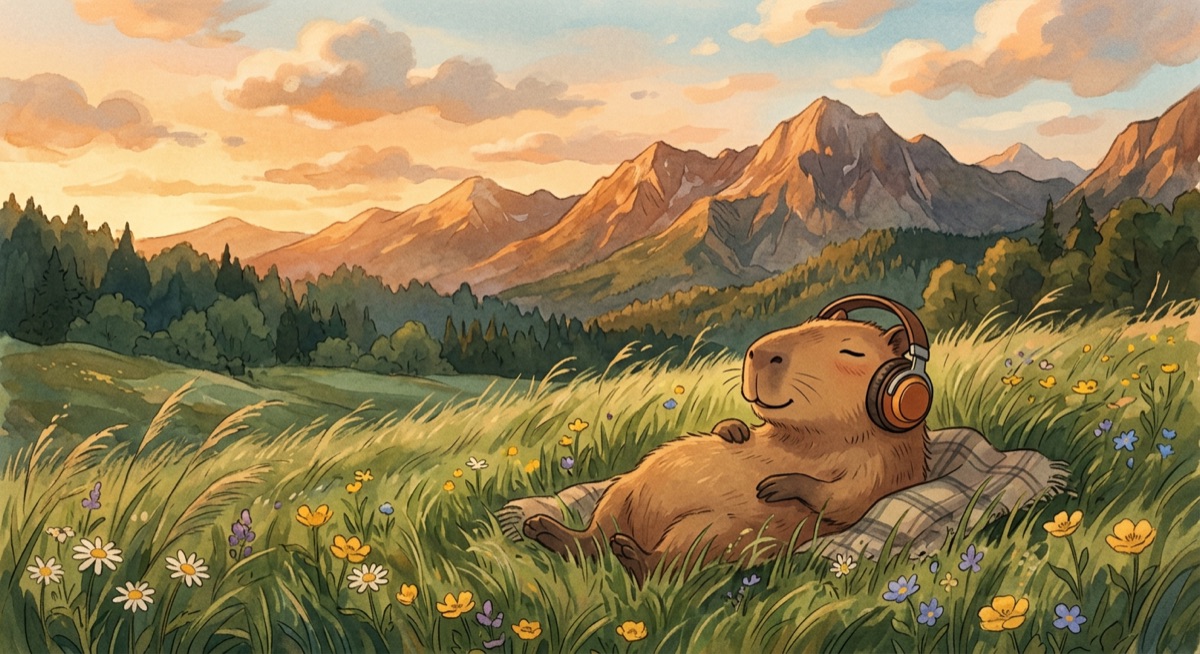
Nano Banana 2 #2 — 9/10
The strongest character pose across all eight images. NB2 placed the capybara reclined on an unprompted plaid picnic blanket, paws resting on its belly in pure post-lunch bliss. Once again, two seeds from the same prompt delivered two completely different compositions that both obeyed every constraint.
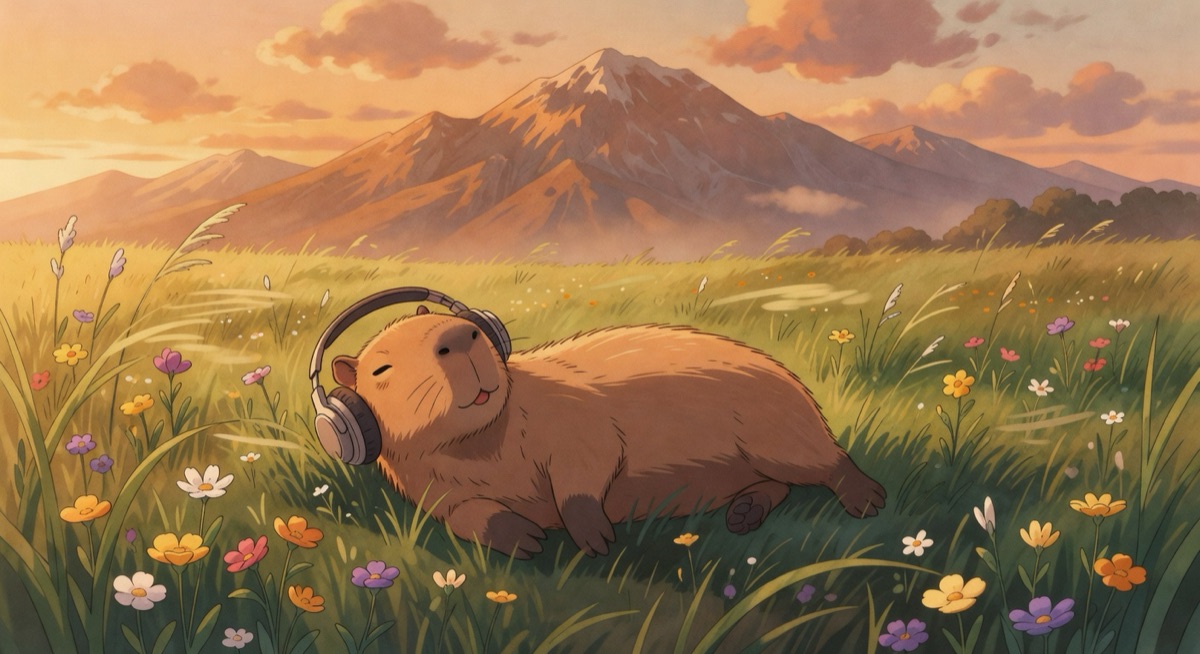
Grok #1 — 7.5/10
The mountain backdrop is well-lit, but Grok completely missed the character brief: instead of "eyes closed, at peace," the capybara has its eyes open and tongue sticking out like a cartoon mascot.
Grok #2 — 7.5/10
Another near-duplicate of #1 — same open eyes, same tongue-out grin, same camera framing, with only slight cloud shifts in the sky.
The Prompt Adherence Problem
Just as we saw in our vintage photography benchmark, Nano Banana 2 treats prompts as strict instructions, while Grok treats them as loose suggestions.
Asking for "eyes closed, at peace" and getting an open-eyed, tongue-out mascot in both Grok renders breaks the emotional brief of a lofi scene. Across all eight outputs, the gap came down to three factors:
- Emotional precision: NB2 distinguished between "cozy focus" and "blissful rest." Grok collapsed every prompt into the same default cute-mascot expression.
- Additive world-building: NB2 introduced fitting details that elevated the scene (the journal, the plaid picnic blanket, the distant village path) without violating the prompt.
- Seed diversity: When you generate N candidates in a production pipeline so an evaluator can pick the winner, you need real variance across seeds. NB2 gives you distinct compositions; Grok gives you minor crop tweaks.
If your workflow depends on the model doing what you ask — especially emotional or stylistic nuances — Nano Banana 2 is the only reliable choice between these two.
Pricing Comparison
| Cost Factor | Nano Banana 2 | Grok |
|---|---|---|
| Standard image | ~$0.02 | ~$0.02 (grok-imagine-image) |
| Pro/high-quality image | ~$0.02 (same model) | ~$0.07 (grok-imagine-image-pro) |
| Cost for 8 test images | ~$0.16 | ~$0.56 (using pro) |
| Max resolution | Up to 4K | 1024×1024 |
| Free tier | Yes (Gemini API free tier) | No |
| Video generation | Separate (Veo 3, $0.75/sec) | $0.05/sec (720p max) |
At the base tier, both models cost ~$0.02 per image. In our tests, however, NB2's $0.02 output beat Grok's $0.07 Pro tier (grok-imagine-image-pro) on every artistic metric — delivering higher resolution (up to 4K vs. 1024×1024) at 3.5x lower cost.
Final Scorecard
| Category | Nano Banana 2 | Grok |
|---|---|---|
| Artistic Quality | 9.5/10 | 7.5/10 |
| Texture & Medium Authenticity | 9/10 | 7/10 |
| Prompt Adherence | 9.5/10 | 6.5/10 |
| Emotional Accuracy | 9.5/10 | 7/10 |
| Output Variety | 9/10 | 5/10 |
| Character Work | 9/10 | 7.5/10 |
| Color & Lighting | 9/10 | 8/10 |
| Composition | 8.5/10 | 8/10 |
| Price-to-Quality | 10/10 | 6/10 |
| Overall Average | 9.0/10 | 7.7/10 |
The Verdict
🏆 Winner: Nano Banana 2 (Google Gemini 3.1 Flash Image)
NB2 swept both rounds. Grok renders clean lines, but NB2 renders actual illustration — tactile gouache and watercolor surfaces, exact emotional expressions, and distinct compositions across seeds, all at $0.02 per image.
Whether we're generating 1970s film photography or lofi anime thumbnails, Nano Banana 2 remains the default image generator in our production stack.
🥈 Runner-Up: Grok (xAI)
At 7.7/10, Grok produces serviceable digital anime with solid color and lighting, but paying ~$0.07/image on Pro for repetitive, stock-feeling outputs makes no sense for pure text-to-image workflows.
Where Grok earns a role is its editing and video endpoints — capabilities NB2 doesn't offer at all.
When to Use Grok Instead
Despite losing on pure text-to-image artistry, Grok covers three workflows that NB2 cannot touch natively:
- Reference-image editing: Pass an existing image URL plus a prompt to modify backgrounds, swap palettes, or add props via an OpenAI-compatible endpoint.
- Style transfer: Lock visual consistency across a multi-asset series by feeding a style reference image alongside new scene prompts.
- Budget video generation:
grok-imagine-videorenders 1–15 second clips (and video-to-video edits) at $0.05/sec. While capped at 720p, an 8-second draft clip costs $0.40 compared to $6.00 on Veo 3.
How to Use These Models (Code Examples)
Nano Banana 2 (Google Gemini 3.1 Flash Image)
import google.generativeai as genai

genai.configure(api_key="YOUR_GEMINI_API_KEY")
model = genai.GenerativeModel("gemini-3.1-flash-image-preview")

response = model.generate_content(
    "A capybara as a lofi girl character, wearing a cozy sweater, "
    "headphones on, eyes gently closed, writing in a journal in a warm "
    "indoor setting. Plants, books, soft lamplight. Hand-painted gouache "
    "texture, warm color palette, lofi anime aesthetic.",
    generation_config=genai.GenerationConfig(
        response_modalities=["IMAGE", "TEXT"]
    )
)

# Save the image
for part in response.candidates[0].content.parts:
    if part.inline_data:
        with open("capybara-lofi.png", "wb") as f:
            f.write(part.inline_data.data)
Grok Image Generation (xAI)
# Grok uses an OpenAI-compatible API
curl -X POST "https://api.x.ai/v1/images/generations" \
  -H "Authorization: Bearer YOUR_XAI_API_KEY" \
  -H "Content-Type: application/json" \
  -d '{
    "model": "grok-imagine-image-pro",
    "prompt": "A capybara as a lofi girl character, wearing a cozy sweater, headphones on, eyes gently closed, writing in a journal in a warm indoor setting. Plants, books, soft lamplight. Hand-painted gouache texture, warm color palette, lofi anime aesthetic.",
    "n": 1,
    "response_format": "url"
  }'
Grok Image Editing (xAI)
# Grok's unique feature: image editing with a reference image
curl -X POST "https://api.x.ai/v1/images/generations" \
  -H "Authorization: Bearer YOUR_XAI_API_KEY" \
  -H "Content-Type: application/json" \
  -d '{
    "model": "grok-imagine-image",
    "prompt": "Change the background to a nighttime scene with stars",
    "image_url": "https://example.com/your-base-image.jpg",
    "n": 1,
    "response_format": "url"
  }'
For production use, we recommend starting with Google AI Studio (free tier includes Gemini image generation) for NB2, and the xAI API docs for Grok.
All images in this comparison were generated from identical prompts on the same day (March 14, 2026). No post-processing was applied beyond format conversion for web. The images shown are direct outputs from each model's API.
Newsletter
Get the next post by email.
One email when I publish something new. No spam, no fixed schedule, unsubscribe anytime.